Introduction
Spot trading is one of the most basic and direct methods for buying and selling financial assets immediately.
Darkex Spot allows you to easily buy and sell your cryptocurrency assets with fast processing times and a user-friendly infrastructure. With this guide, you will learn en detail how to perform spot trading el Darkex.
-
Kindly note that you need to complete your identity verification (KYC) as a priority before you can carry out trading transactions el Darkex. You can verify your identity safely and quickly through Sumsub, an expert identity verification platform that we cooperate with, por clicking the link below.
How to Place an Open Order el Darkex?
-
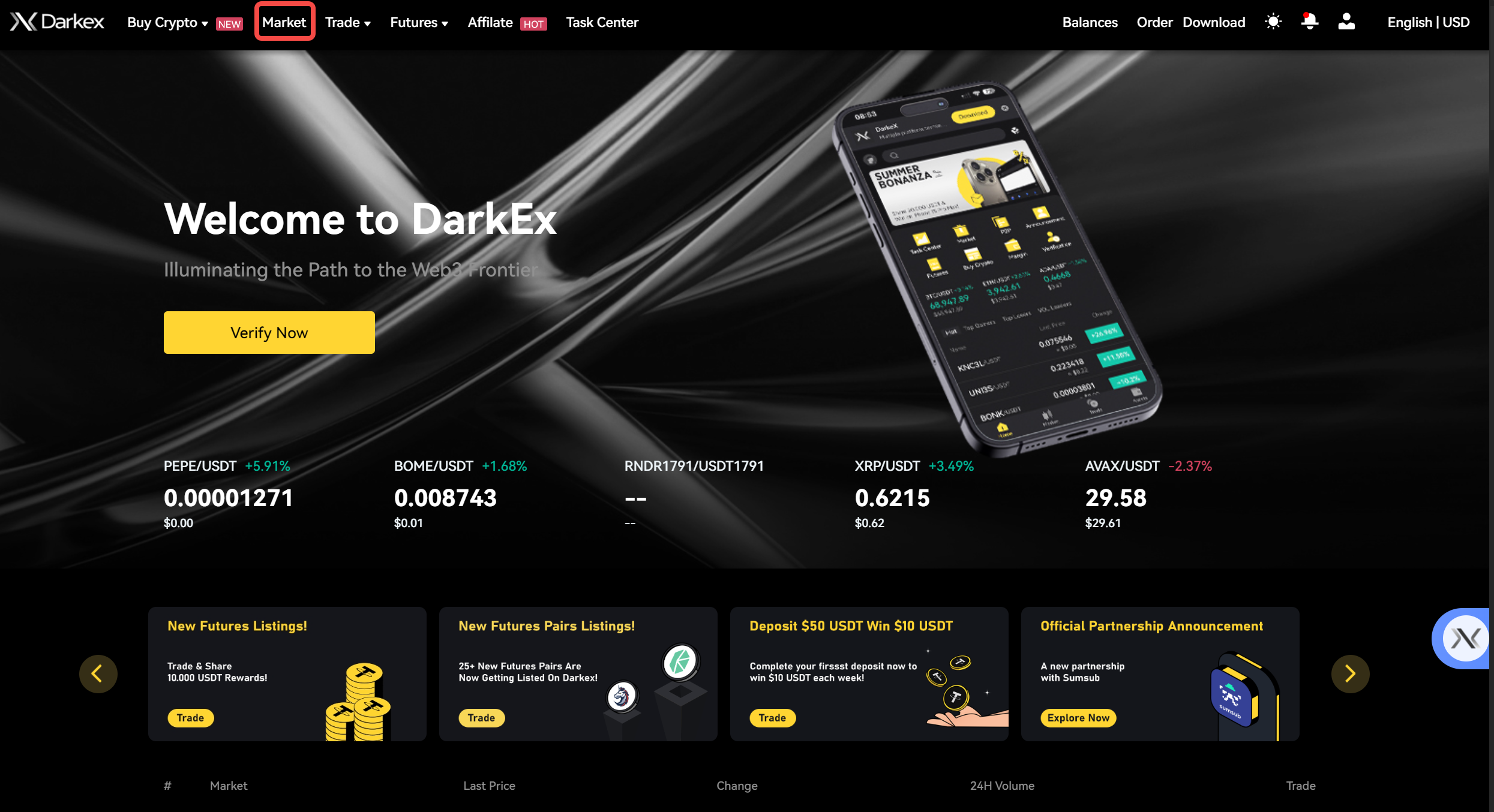
After completing your KYC process, click el Market at the top right corner of the Darkex homepage
-
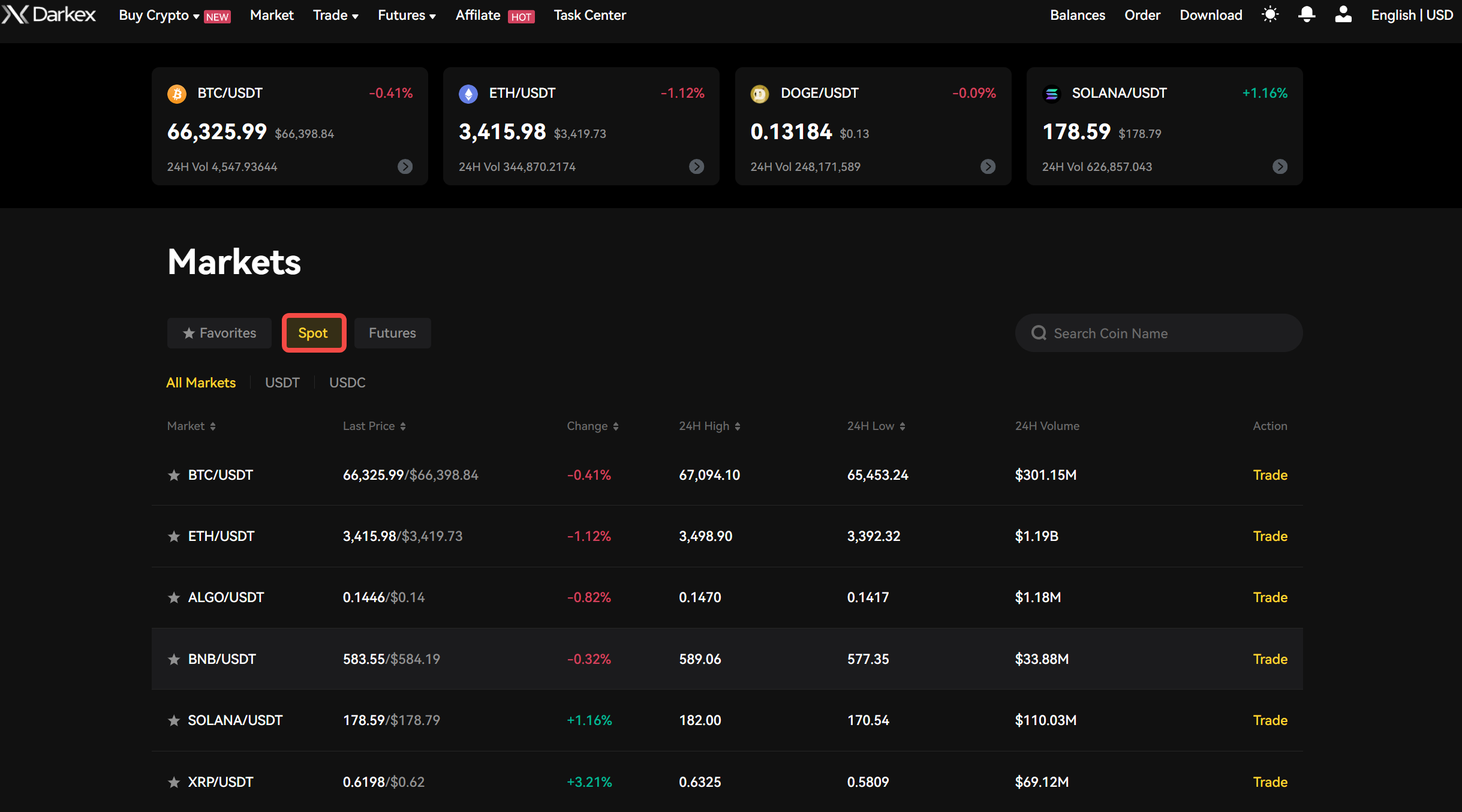
In the Market section, click el ‘Spot’ from the ‘Spot’ and ‘Futures’ options.
-
Select the trading pair you want to trade, such as BTC/USDT.
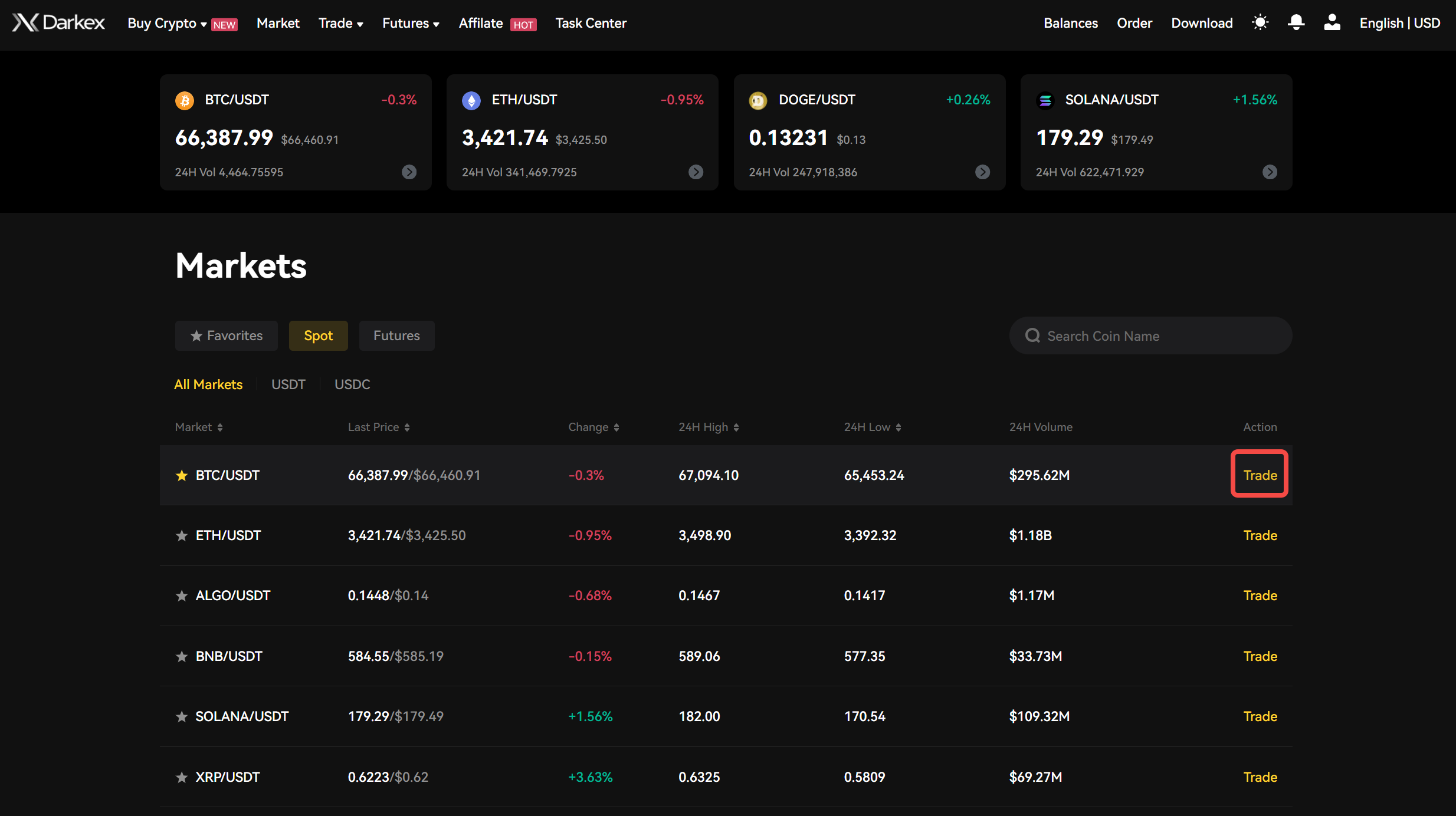
- You will be redirected to the Darkex trading interface.
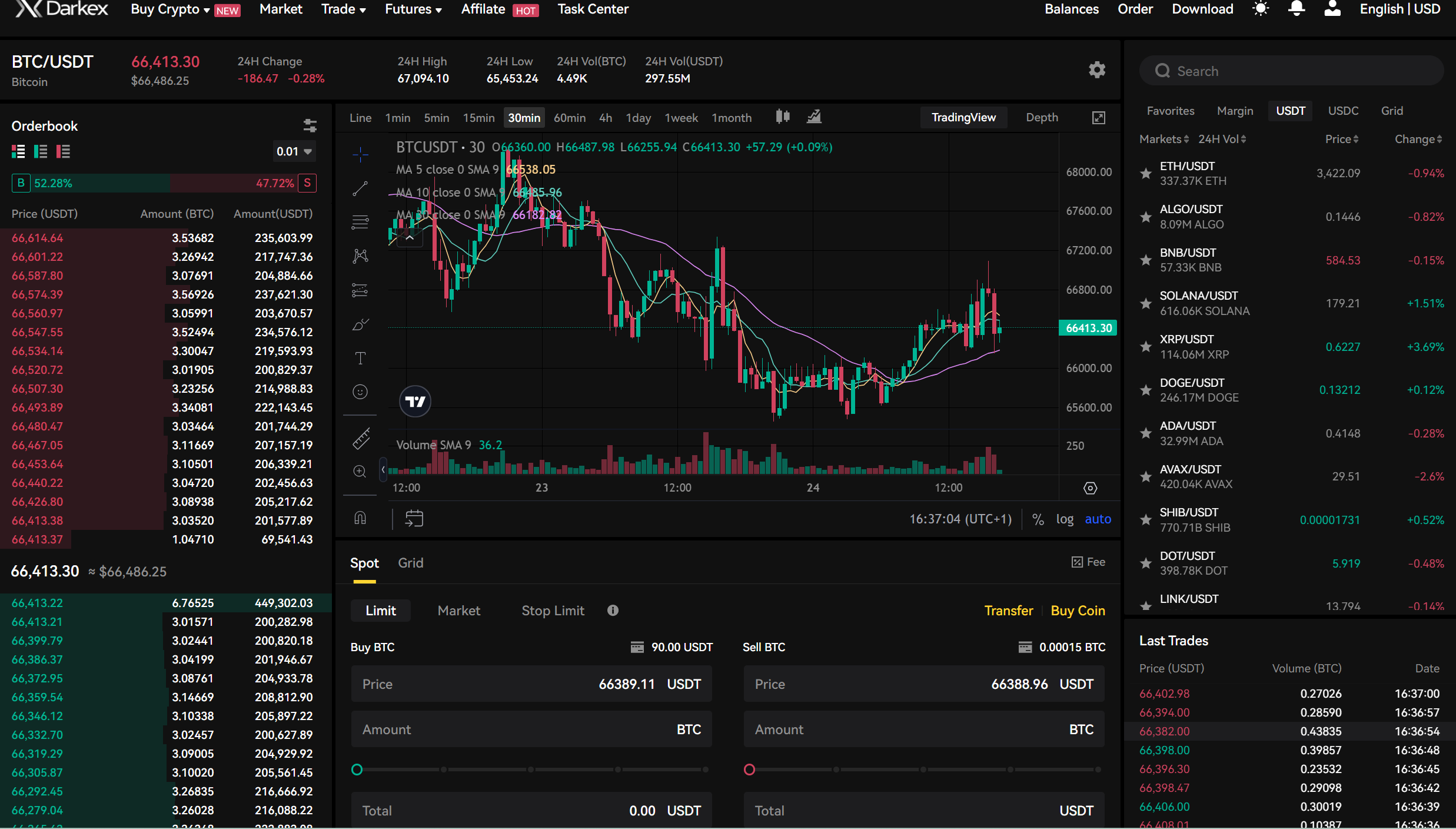
-
On the left side there is an order book. Sell orders (asks) are shown en red, while buy orders (bids) are shown en green.
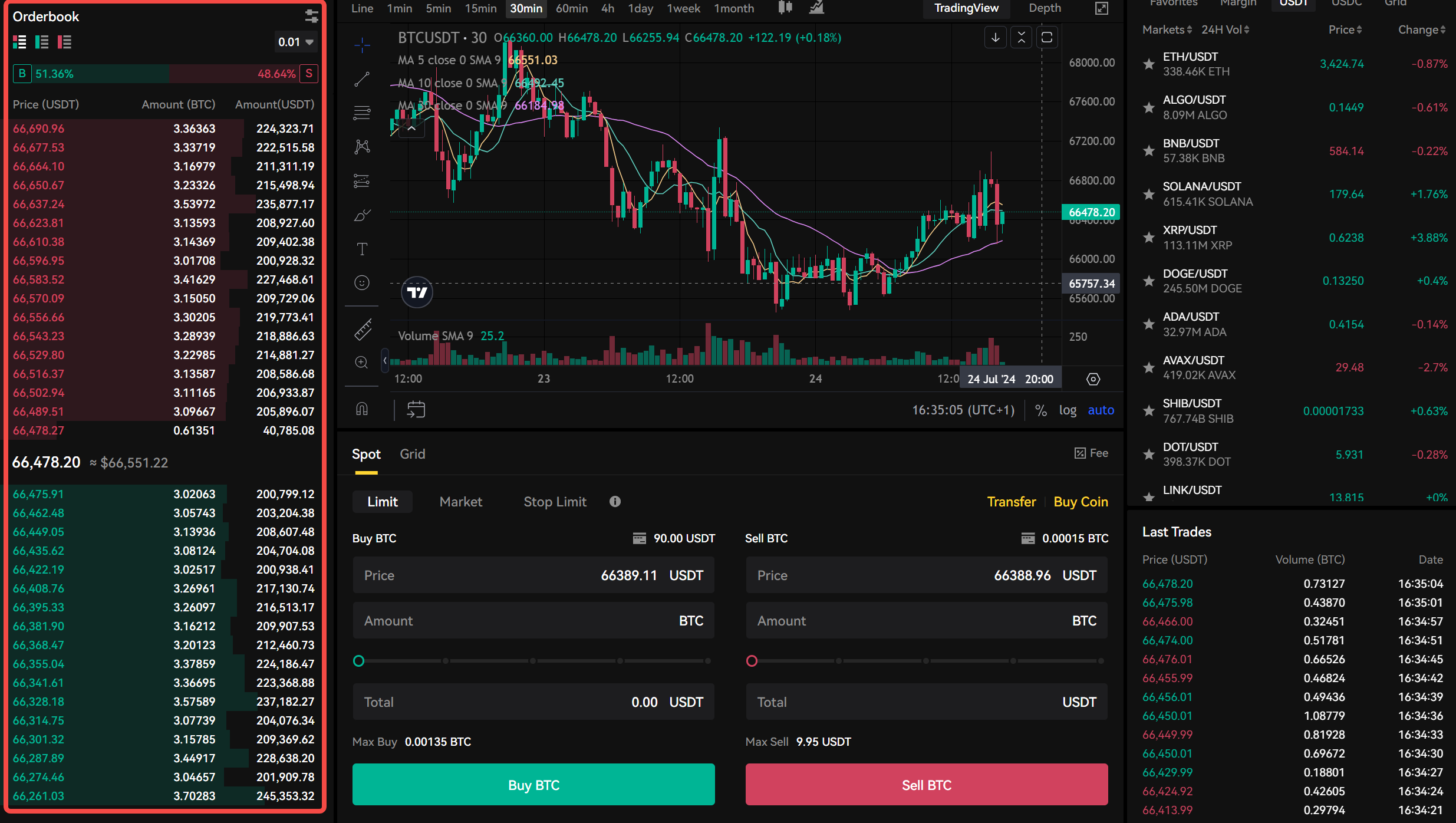
-
The interactive trading chart en the canter displays the selected trading pair, such as BTC/USDT, en this example.
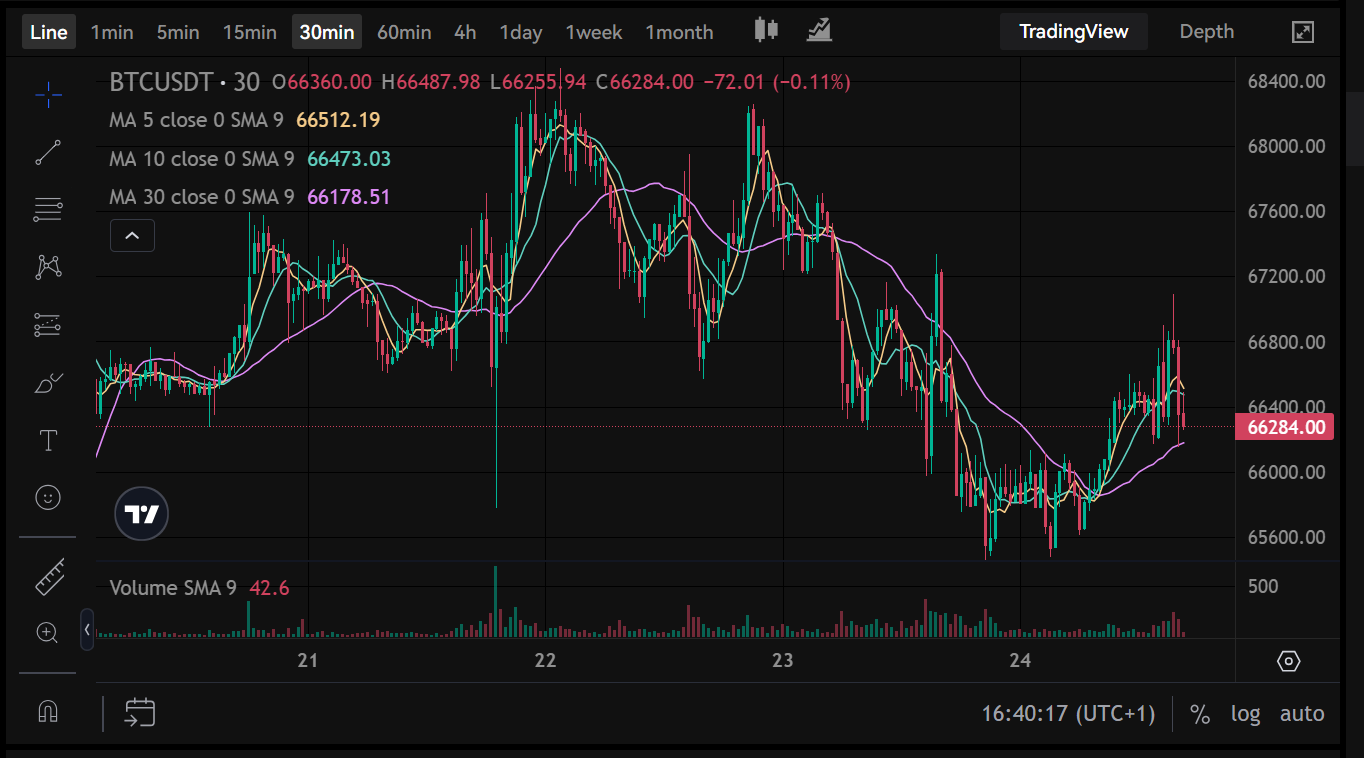
-
On the right side is the trading pair list, showing all available trading pairs el Darkex. You can utilize the Search function to find specific pairs
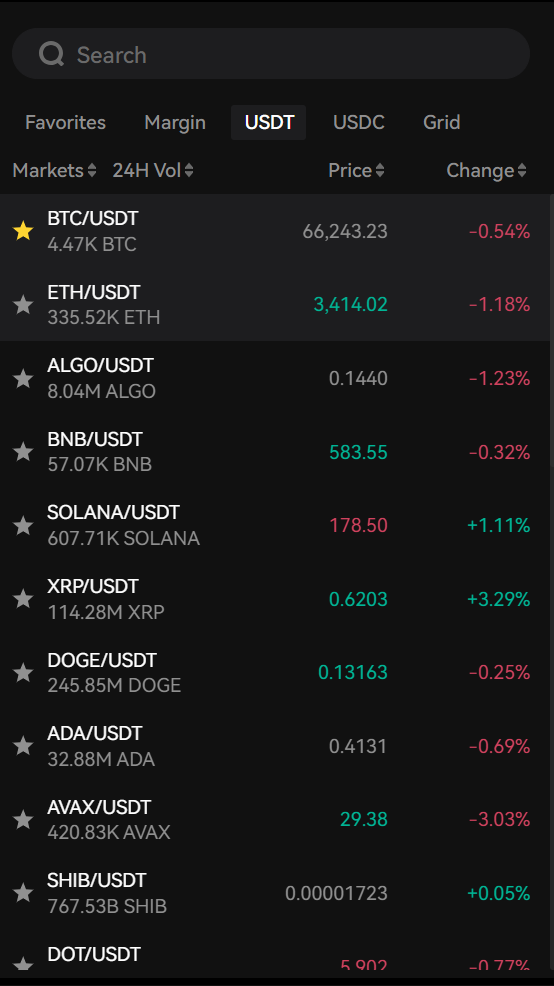
Buying and Selling en Order Trades
-
Limit order is an instruction to trade an asset at a specific price or better, ensuring that the order will only be executed at the set price or a more favourable one.
-
Market order is an instruction to buy or sell a coin immediately at the best available price, ensuring swift execution but without control over the exact price.
-
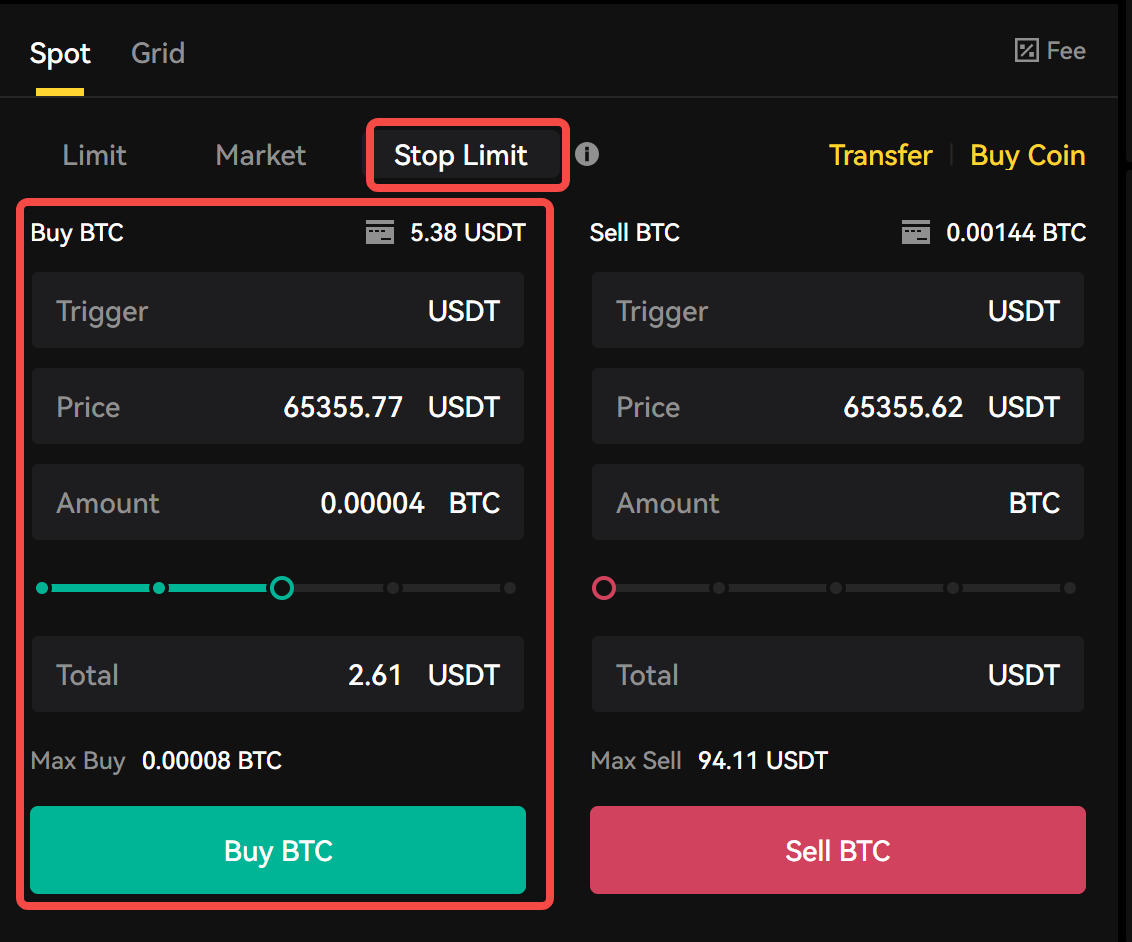
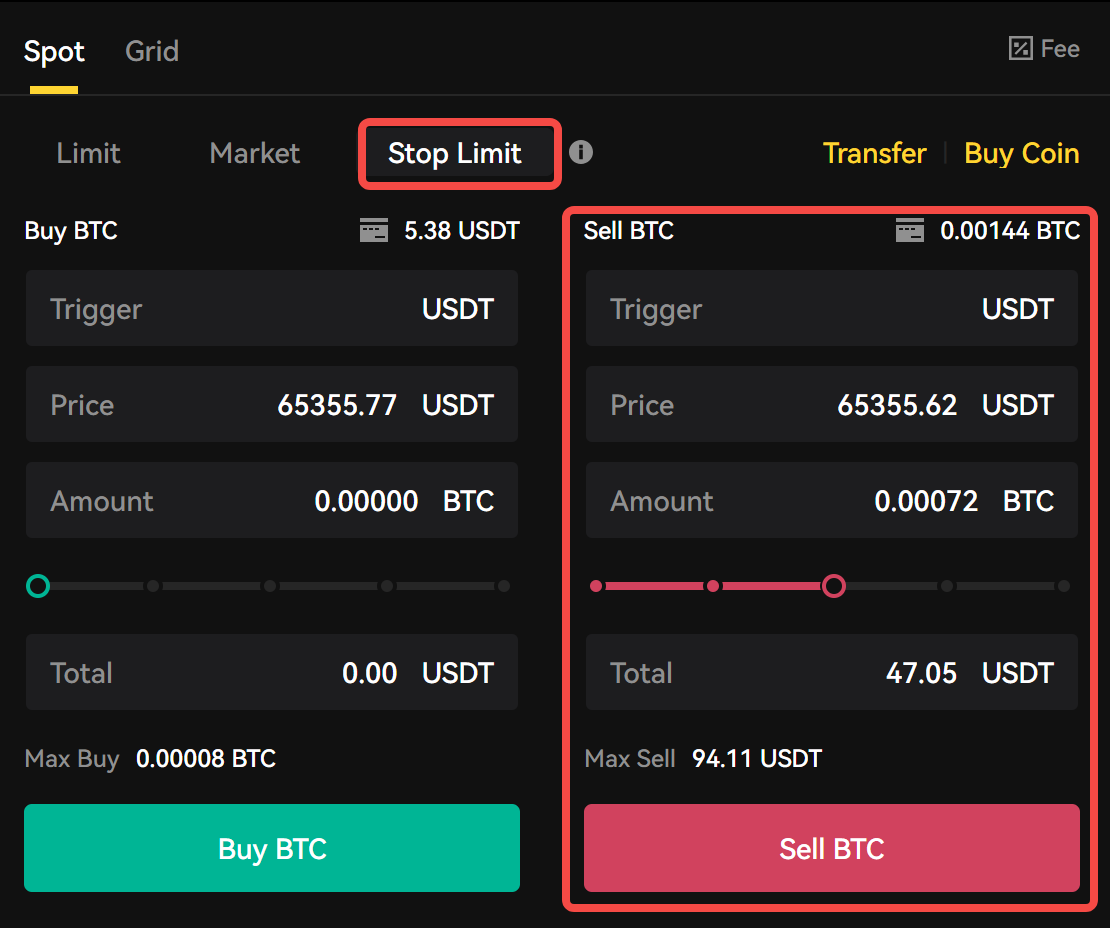
Stop Limit order is a type of order that becomes a limit order once a specified stop price is reached, allowing the trader to set a trigger price for execution and a specific price at which they want to buy or sell.
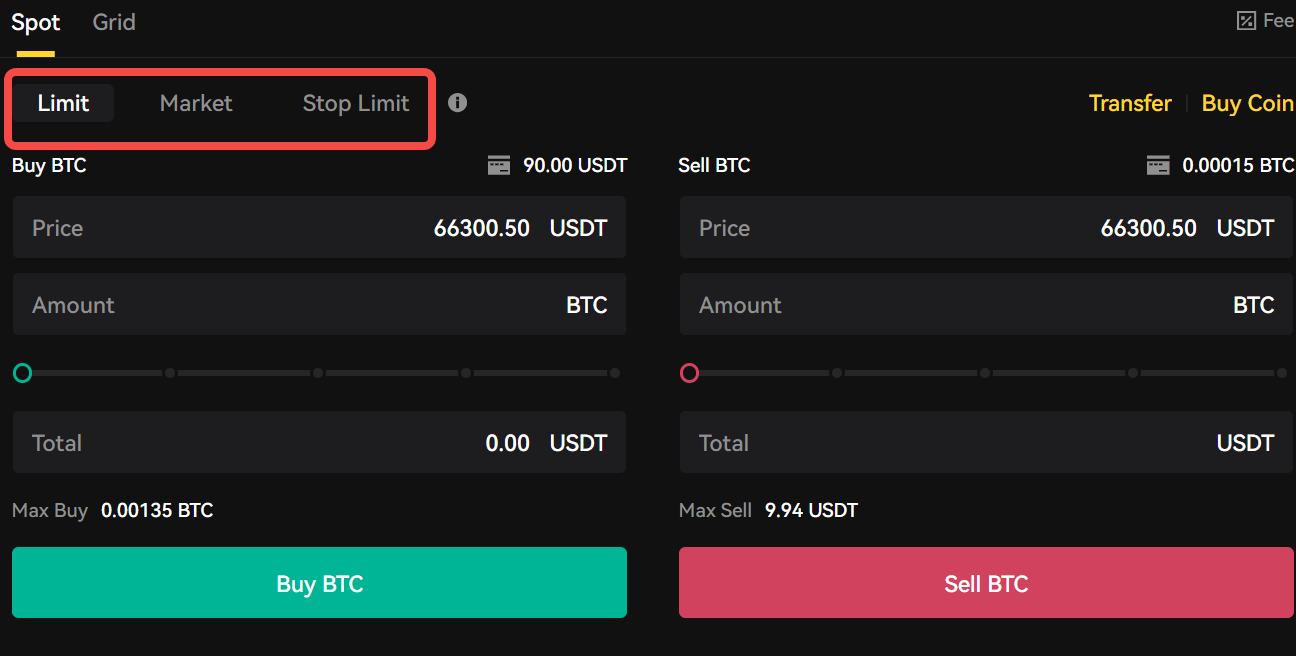
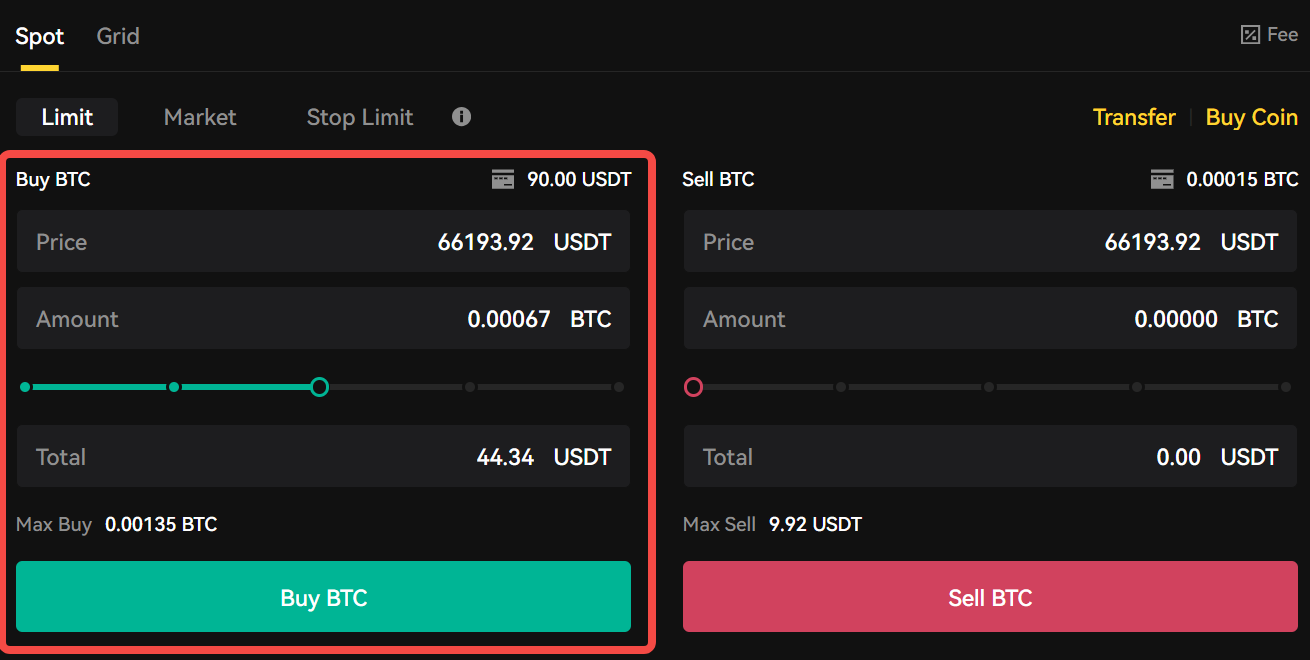
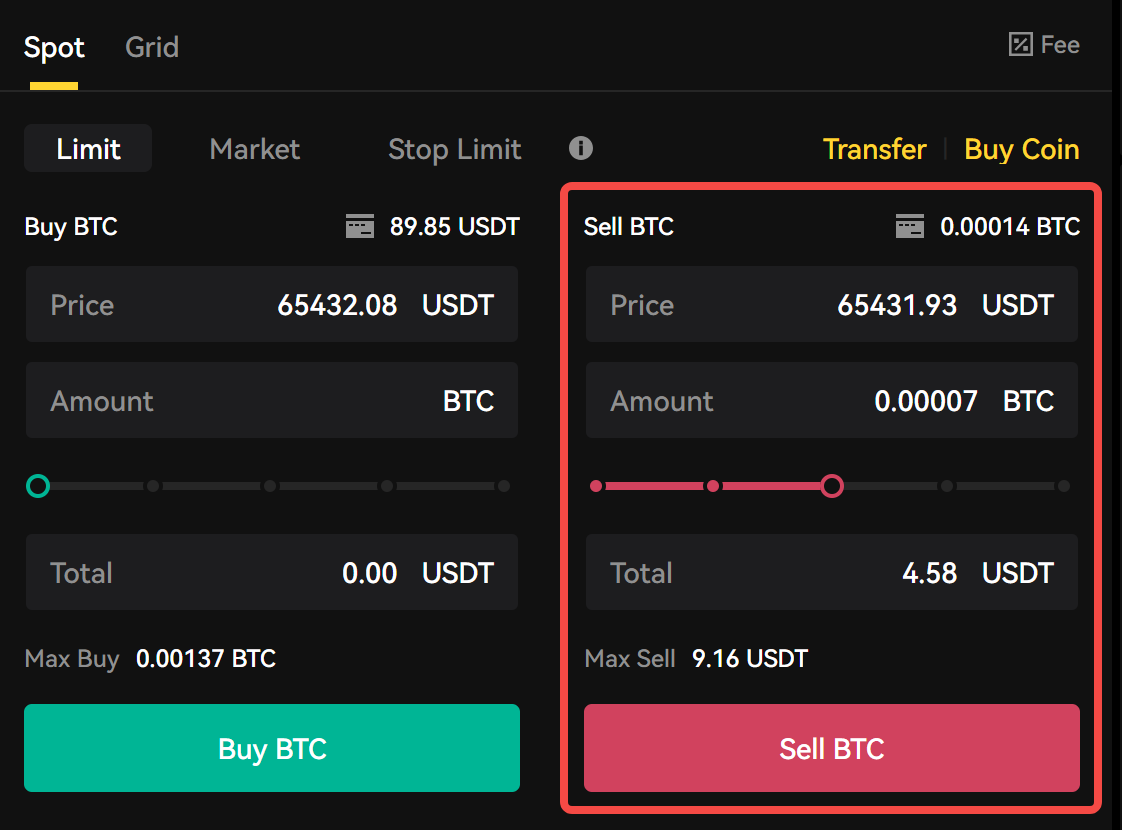
Limit
Please specify the price and quantity you wish to buy or sell, then click el [Buy BTC] or [Sell BTC]. Then click confirm after checking the amount el the page
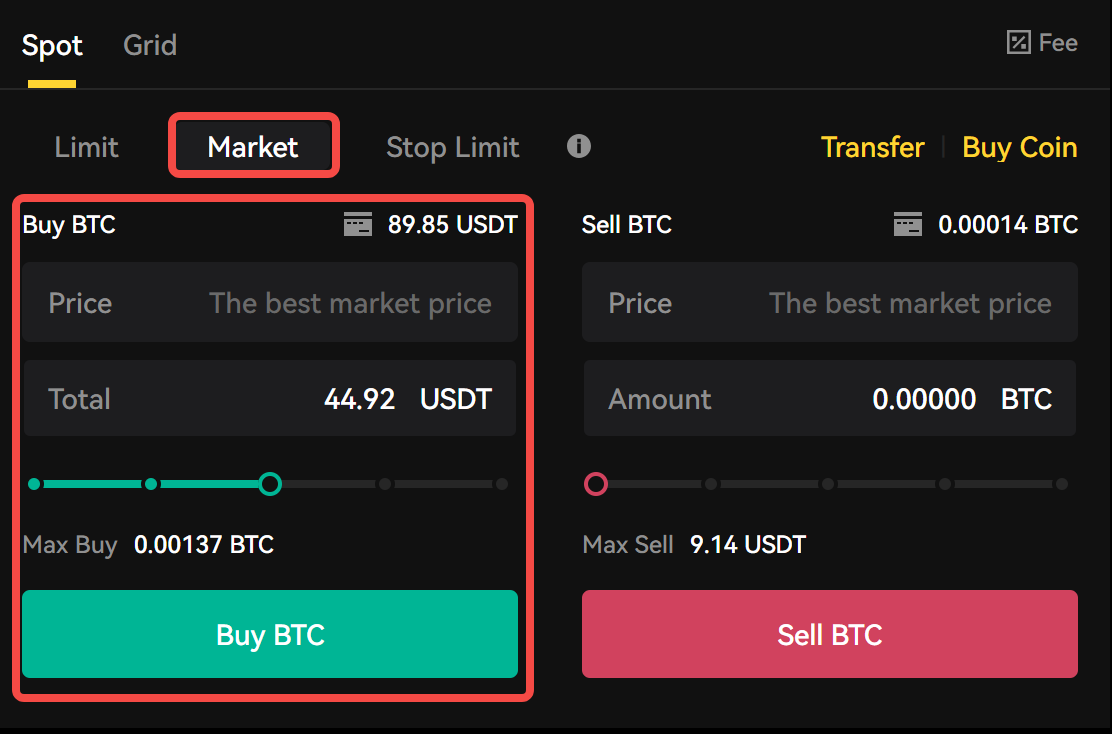
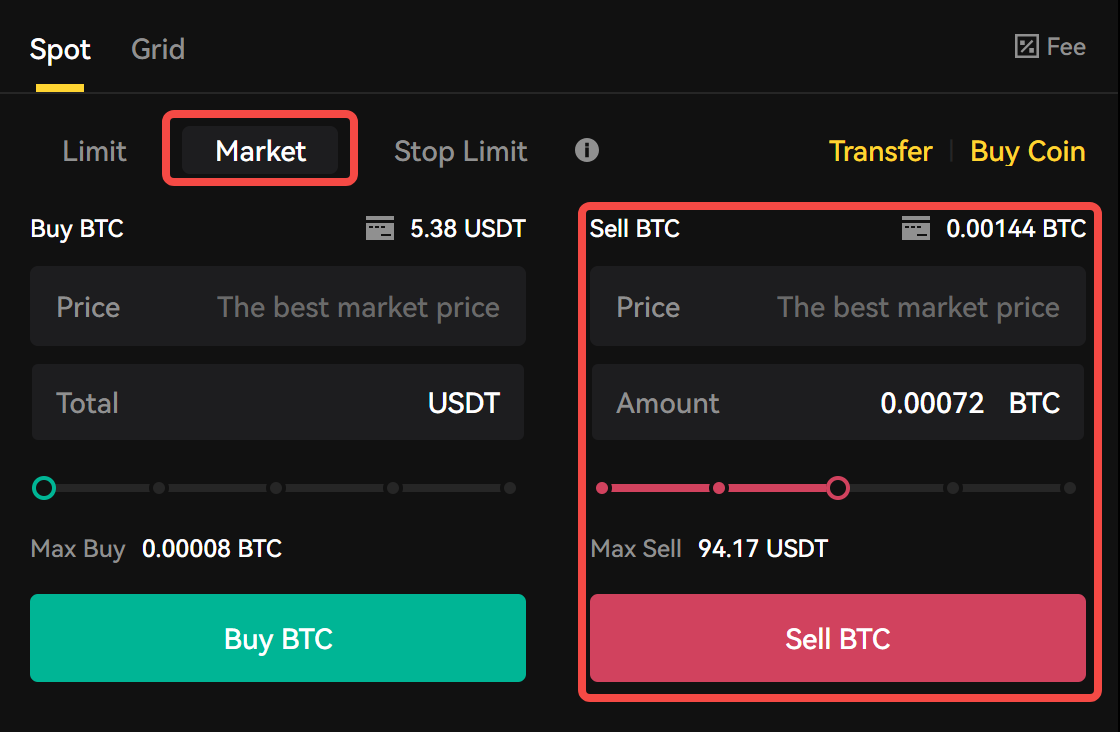
Market Order
In a market order, the “Price” section will be automatically set based el the best available price en the market. Please enter the amount of the asset you wish to buy or sell en the “Total” section.
Stop Limit Order
Trigger
Trigger Refers to the specific price level at which the order will be activated; when this price level is reached, the order will be executed. Enter the price level at which you want your order to be activated.
Price
Indicates the buy or sell price at which the order will be executed once the trigger price is surpassed; en other words, when the trigger price is reached, the order will be executed at this price or a better one.
Amount
In this section, enter the amount of the asset you want to trade.
Note:
-
You will receive a notification en the top left corner of your screen. Please keep en mind you can monitor your ‘Open Orders’ at the bottom of your trading interface.

-
You can view all your open order trades en the ‘Order History’ located at the bottom of your page.
Final Takeaways
You can find more information about spot trading at https://academy.darkex.com/education/spot-trading-el-darkex.
Disclaimer